Flamingo Float AI Photo Guide: Pick the Right Portrait
Choose a photo for your flamingo float AI video. Check the framing, lighting, file type and permissions before you upload.
 Infinity Pool AI
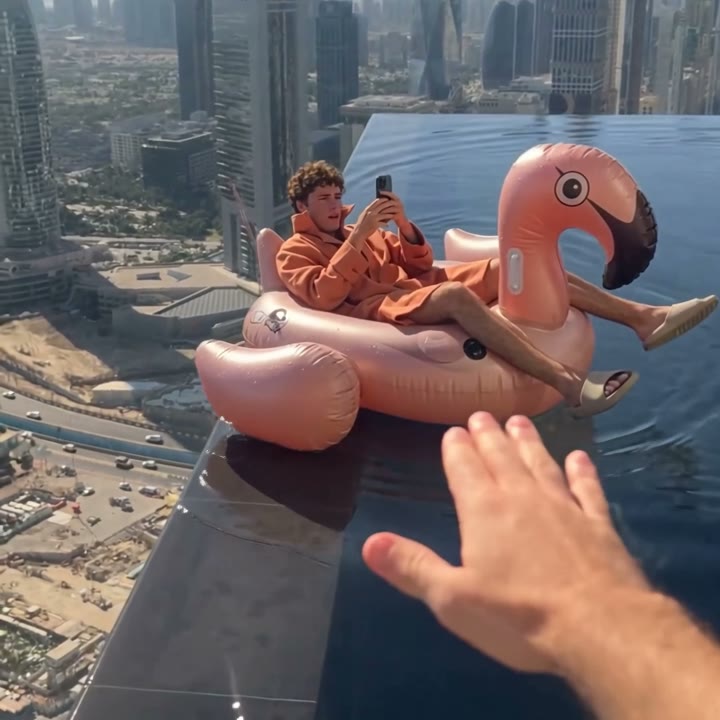
Your photo decides how much your flamingo float video looks like you. The person on the float is fairly small in this scene, so the generator needs a sharp, clear reference. A few minutes spent choosing the right portrait is worth more than a second attempt.
What makes a good portrait
- One person. Use a portrait of one adult. If your image shows several people, crop it to one face first.
- A visible face. Eyes, hair and shoulders should all be in view. Avoid sunglasses, hats that hide the hair, and hands near the face.
- Even light. Soft daylight works well. Strong shadows across the face make details harder to read.
- No heavy filters. Beauty filters and face-changing effects carry over as wrong details.
- Room around the head. Avoid tight crops that cut off the forehead, and avoid photos where the face is tiny.
File requirements
Upload a JPEG, PNG or WebP of up to 20 MB. Use the original image if you can. Screenshots and photos saved from messaging apps are often compressed.
Permission
Use your own photo, or get permission from the person pictured before you upload. Do not upload a photo of anyone under 18. The Terms of Service explain what is not allowed.
Before you share
Watch the whole clip. Check the likeness and look for flicker around the face and hair. AI can change small details, and an exact likeness is not guaranteed. If a finished video is broken or shows the wrong person, our refund policy explains what we can do.
Ready to try it? Add your photo, or read what the trend is about first.